
RS9 / FIND YOUR CATEGORY
RS9 Games. Choose where to start.
Find Ludo, casino titles, fantasy cricket and sports in the RS9 interface. Compare the sections and see what to check before entering a game.
GAME CATEGORIES
Which RS9 Section Should You Open?
Use the category that matches what you are trying to find.
LUDO & CASUAL
Ludo & Casual Games
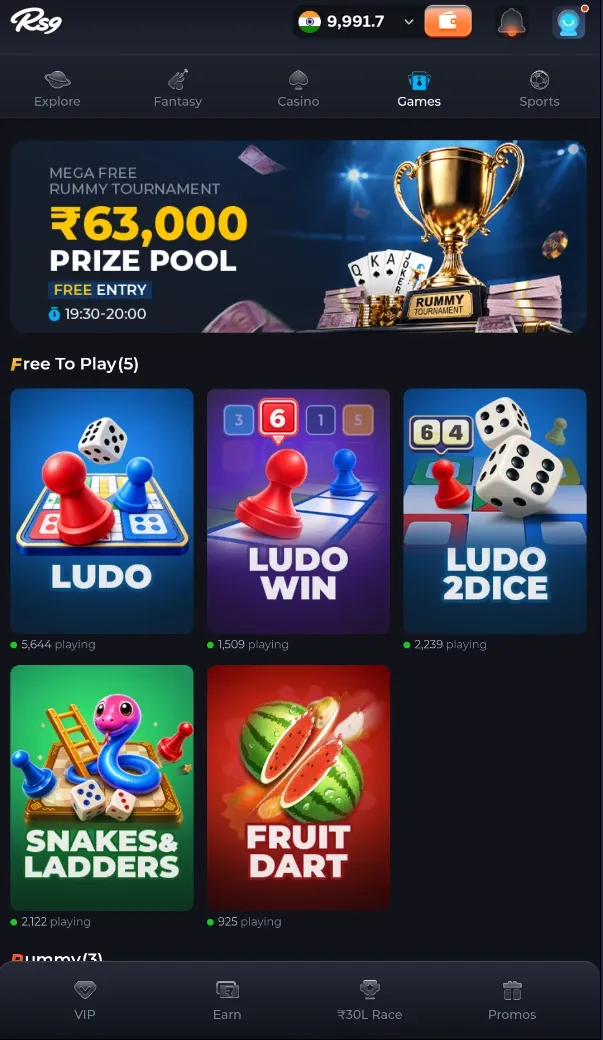
Looking for Ludo or a casual title? Start in the Games tab.
01Where to look
Open Games in the main navigation and browse the visible title tiles.
02Choose the exact variant
Ludo, Ludo Win and Ludo 2Dice are separate listings. Check the selected title’s rules rather than assuming every variant works the same way.
03Check the entry conditions
The captured section is labelled Free To Play. Confirm the current mode, entry conditions and any optional costs before starting.
CASINO LOBBY
Casino Games
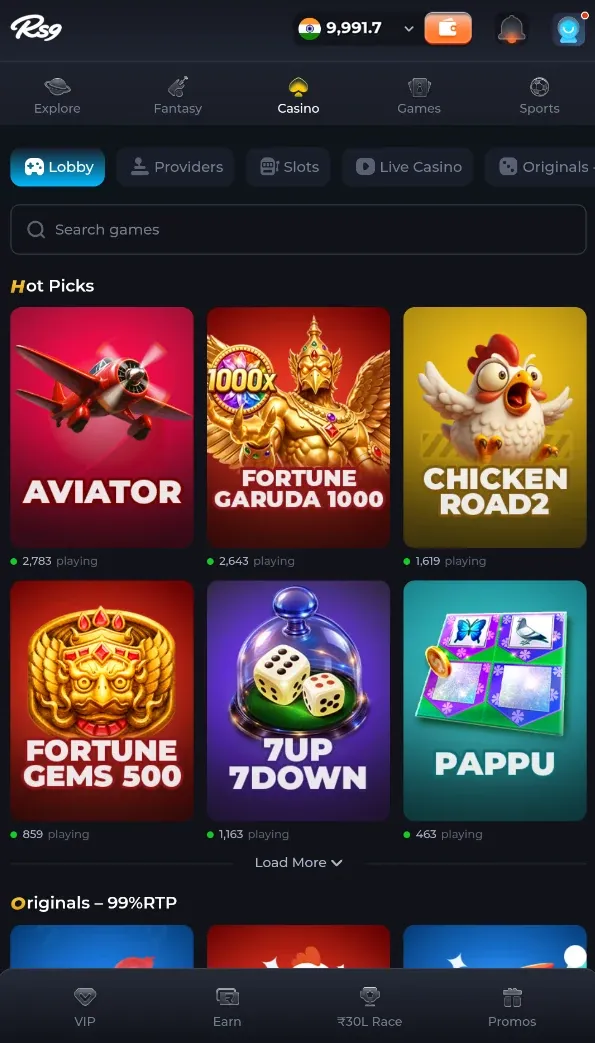
Looking for a particular casino title? Use the lobby search and category filters.
01Find a title or provider
The supplied screen includes Lobby, Providers, Slots, Live Casino and Originals filters, plus a search field.
02Read the selected game’s rules
Check the objective, round structure, stake options and payout information inside the game. Tile artwork does not explain the rules.
03Keep results in perspective
Previous rounds, promotional images and displayed wins do not guarantee a future result.
MATCH CONTENT
Fantasy Cricket & Match Content
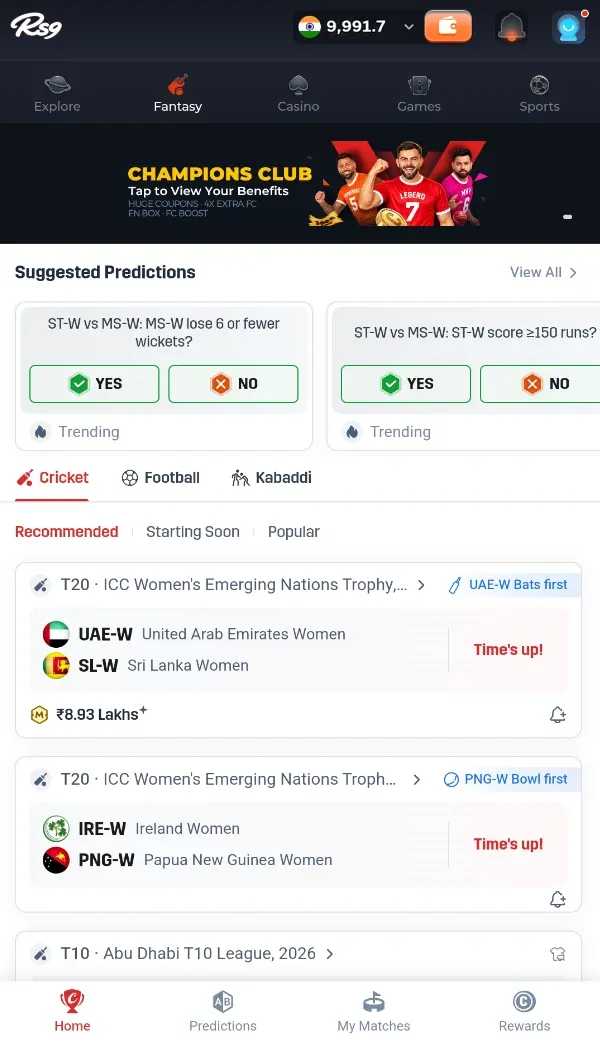
Looking for cricket-related content? Open Fantasy and check the sport and match listings.
01Choose a sport and match
Confirm the teams, start time and current status. The matches in the screenshot are historical examples.
02Check the activity format
The supplied screen includes prediction cards and match listings. Review whether the selected activity uses predictions, team selection or another format.
03Find the actual scoring rules
Read the contest’s scoring, entry terms, cancellation and settlement rules. A full team-selection workflow has not been verified from this screenshot.
SPORTS & EVENTS
Sports Matches & Markets
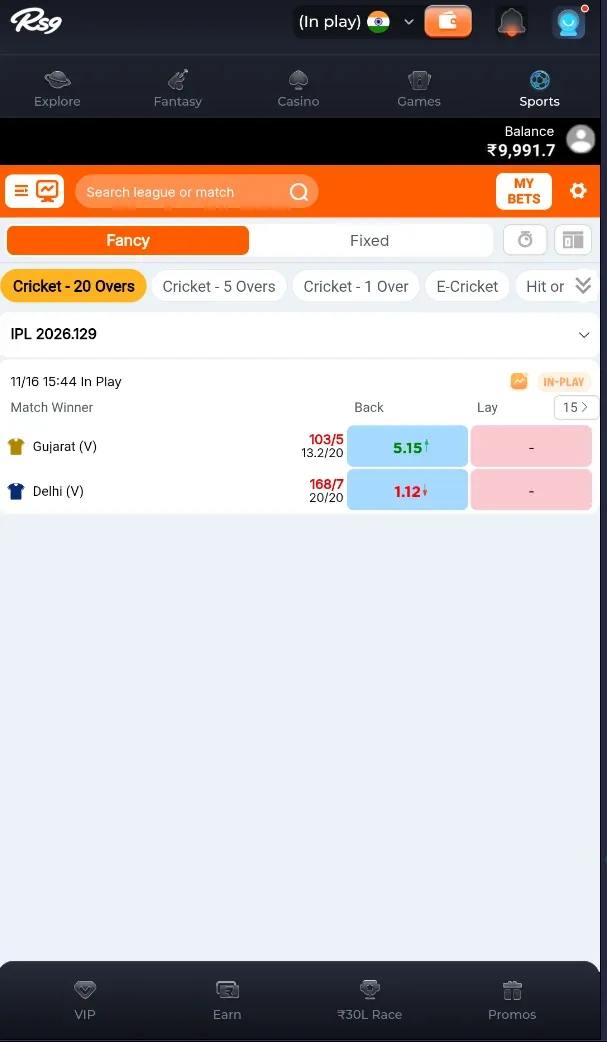
Looking for event markets? The Sports tab uses a separate match-and-market layout.
01Search for the event
Use the available league or match search and confirm the event you are viewing.
02Read the market label
Check the market type, event status and current prices. A score or price in a screenshot is not live information.
03Understand the exposure
Before selecting a market, read its rules and potential liability. Do not infer a guaranteed outcome from a displayed price.
BEFORE YOU PLAY
Check These Details Before Playing
- Read how the selected game or contest works, including round endings and settlement.
QUICK ANSWERS
RS9 Games FAQs
Which games can I find in RS9?
Are Ludo, Ludo Win and Ludo 2Dice the same game?
Does “Free To Play” mean I can win withdrawable cash?
What should I check before playing a card or table game?
How are Fantasy, Predictions and Sports markets different?
What should I read in the game rules?
What should I do if a game freezes during a round?
Found a category to explore?
Check the website entry or get the Android installation guide.